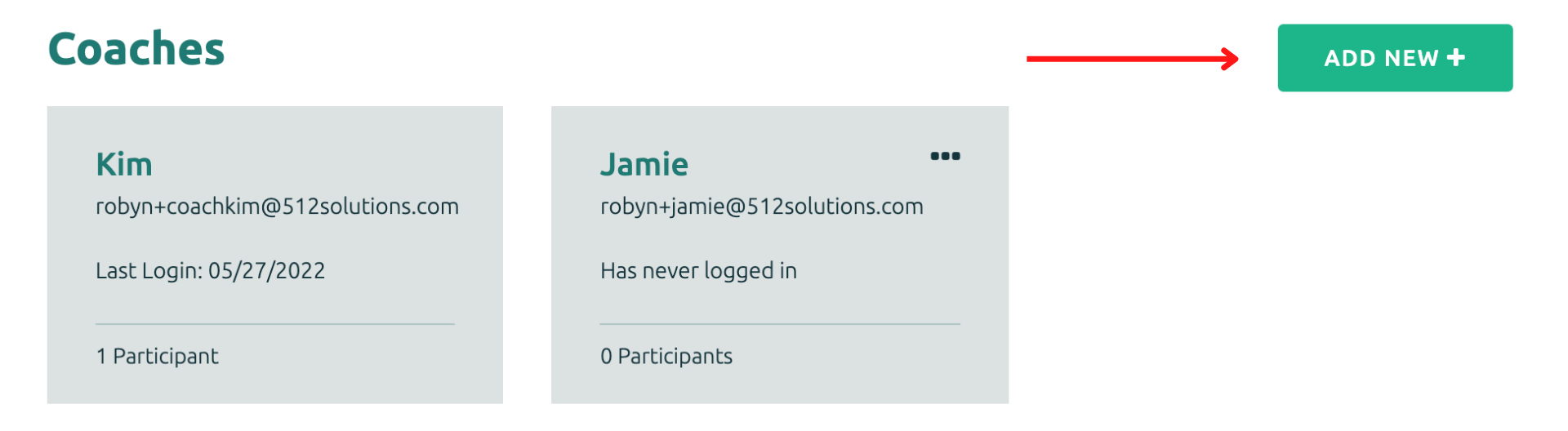
It's easy to add a Coach to your account. The Coach will need to be associated with a Project. Once you click on the Project tile, scroll below the Participant tiles where the Coaches are listed. Click on the "+' to add a new Coach.
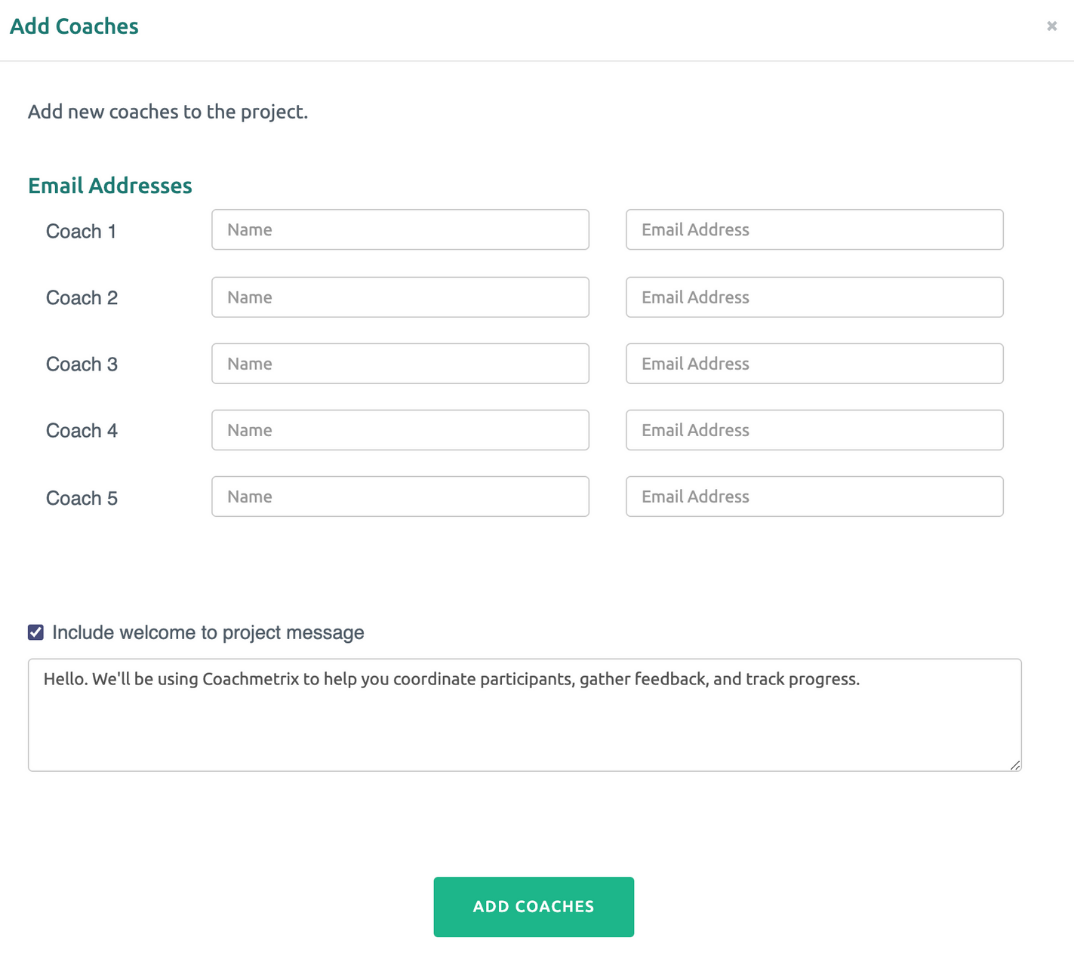
Enter the Coach's name and email address. The new coach will automatically receive an email with a link to activate the account.
You have the option of including a standard Welcome message to the project or customizing the text.
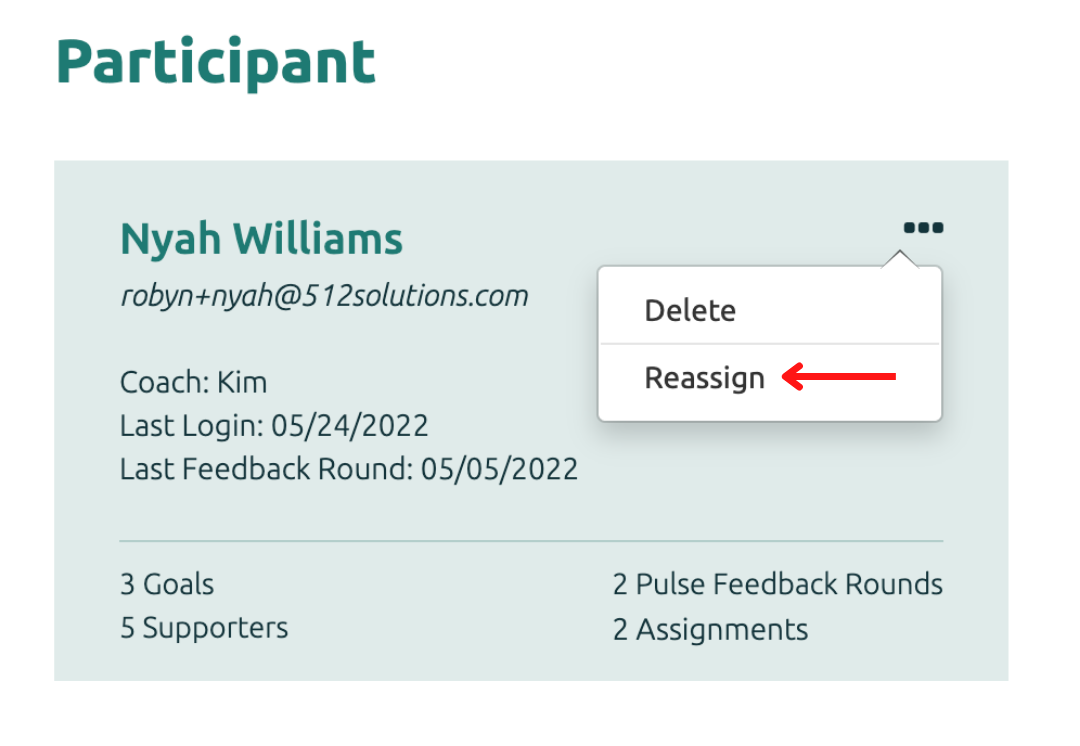
Assign Participants to new Coach
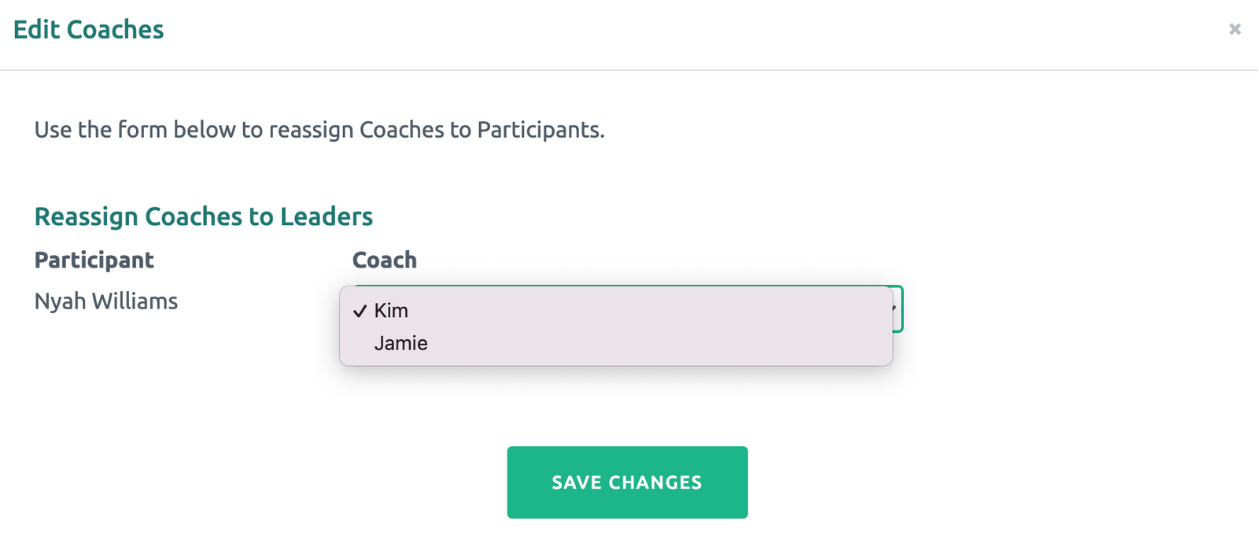
To assign Participant(s) to the new Coach, click on the icon in the top corner of the Participant to be reassigned. (By default, the Participant will be assigned to the original Coach/Account Owner.)
For the appropriate Participant(s), select the new Coach from the drop down. Then click the Save Changes green button.
To remove a Coach
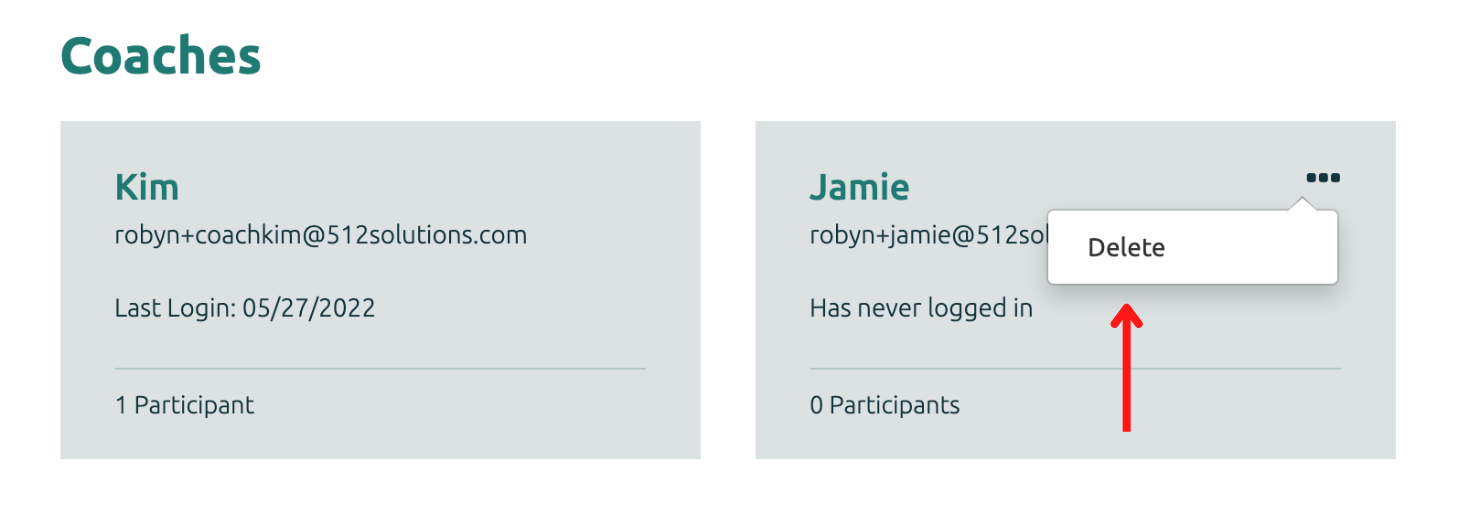
Once a Coach is no longer working on a Project, the Coach can be removed from the account. On the Coach's tile, select the three dots in the top right corner and click delete.
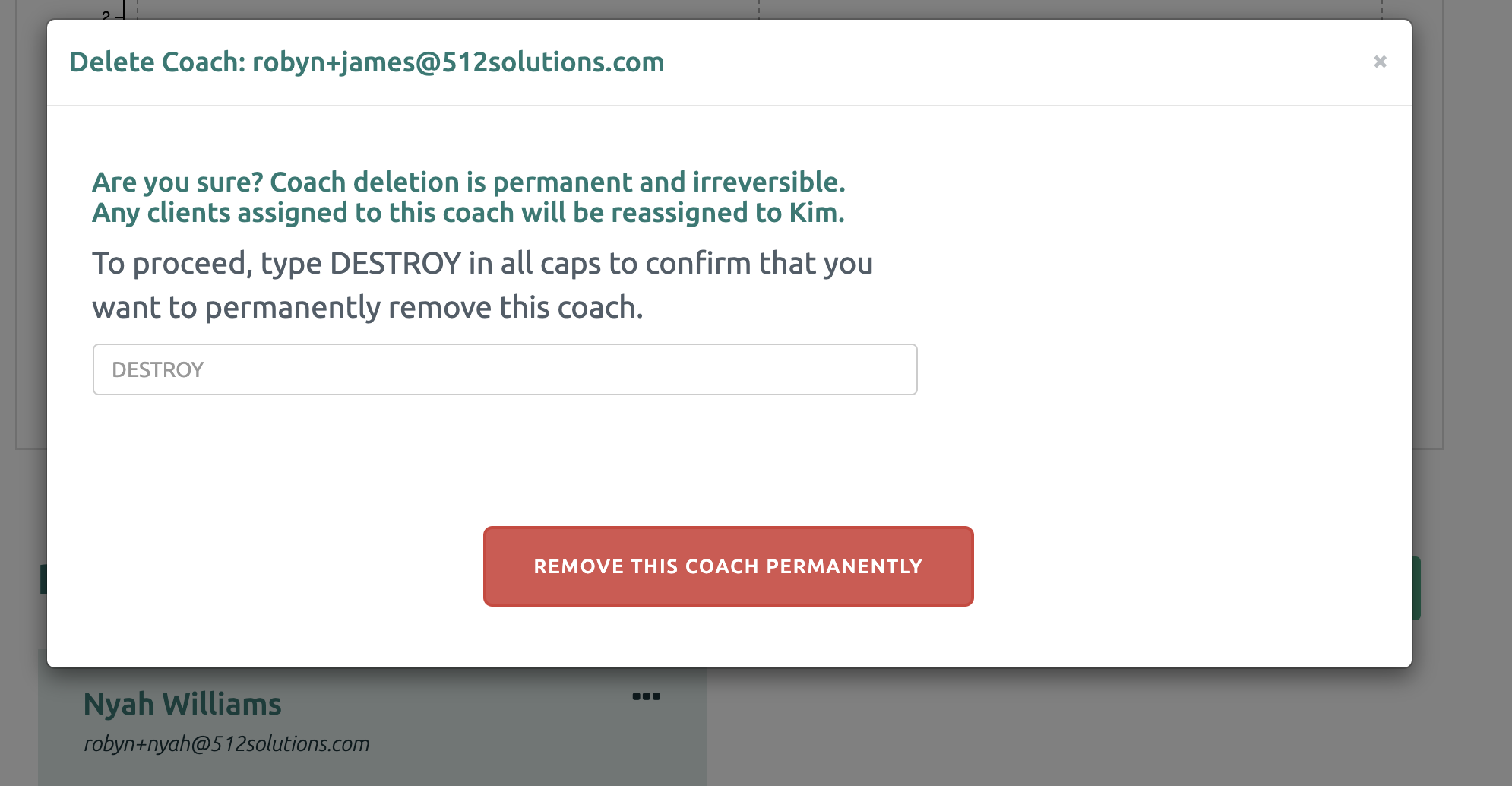
Type DESTROY in all caps and click “Remove this Supporter Permanently”.