Logo

How can we help you?

Get help straight from the Coachmetrix support team...

How do I remove a Coach from my account?

Account Support

How do I remove a Coach from my account?

Last updated on 06 Nov, 2025

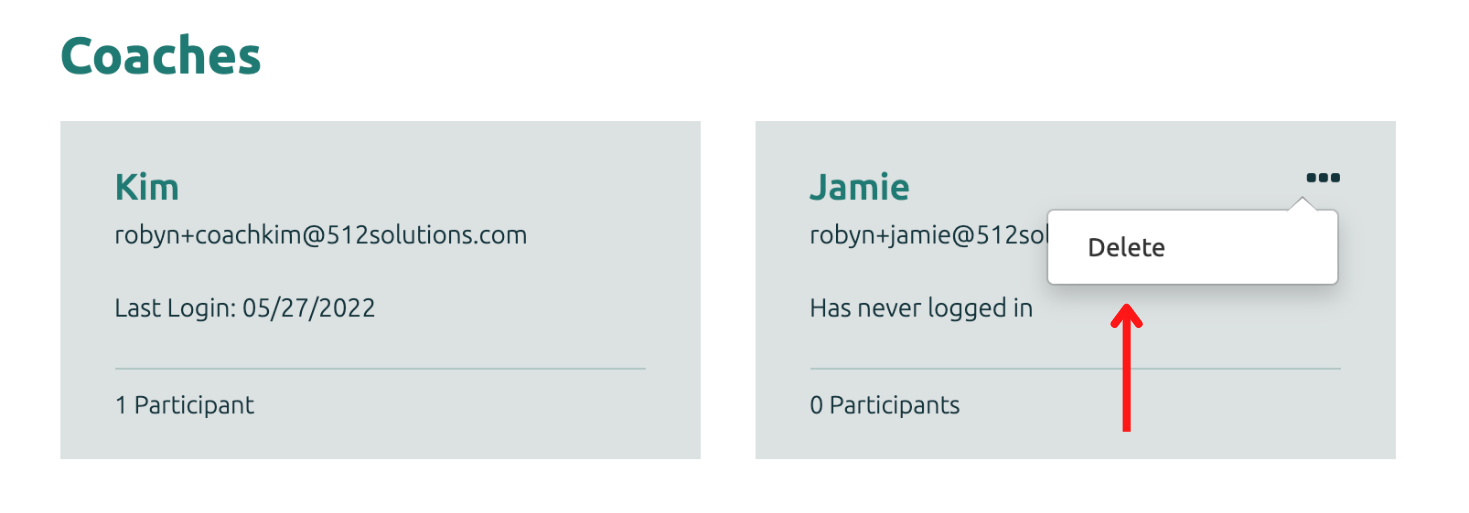
Once a Coach is no longer working on a Project, the Coach can be removed from the account. On the Coach's tile, select the three dots on the top right corner the tile and click delete. 
Image

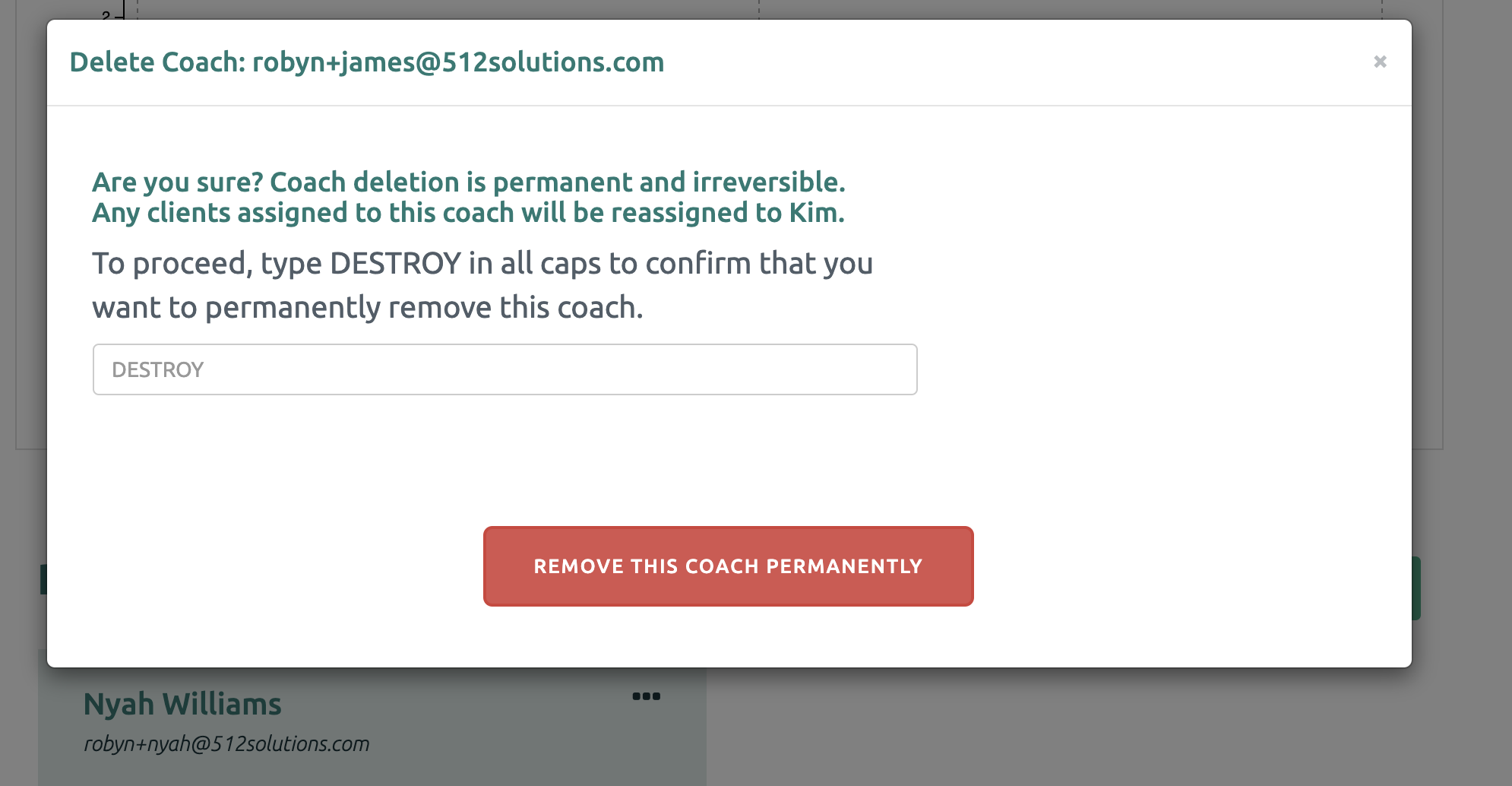
Type DESTROY in all caps and click “Remove this Supporter Permanently”. 
Image
Did you find this article helpful?
Previous

How can I reset my password?

Next