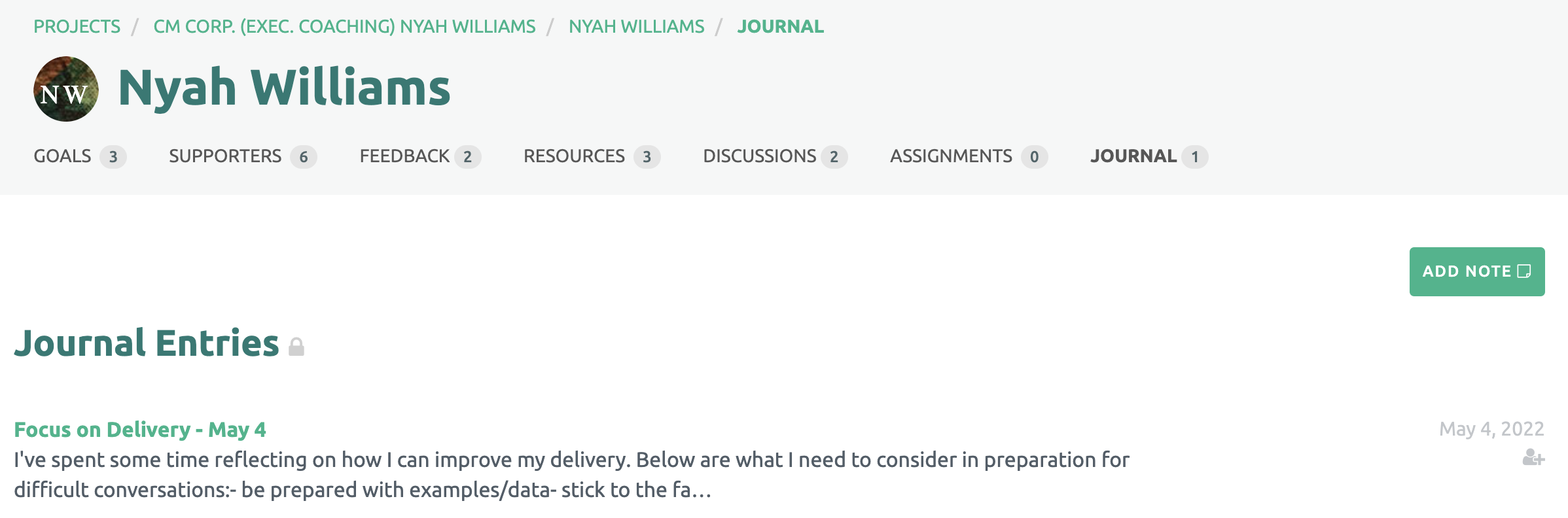
Viewing the Participant's account, the Coach will see the number of entries the Participant has created.

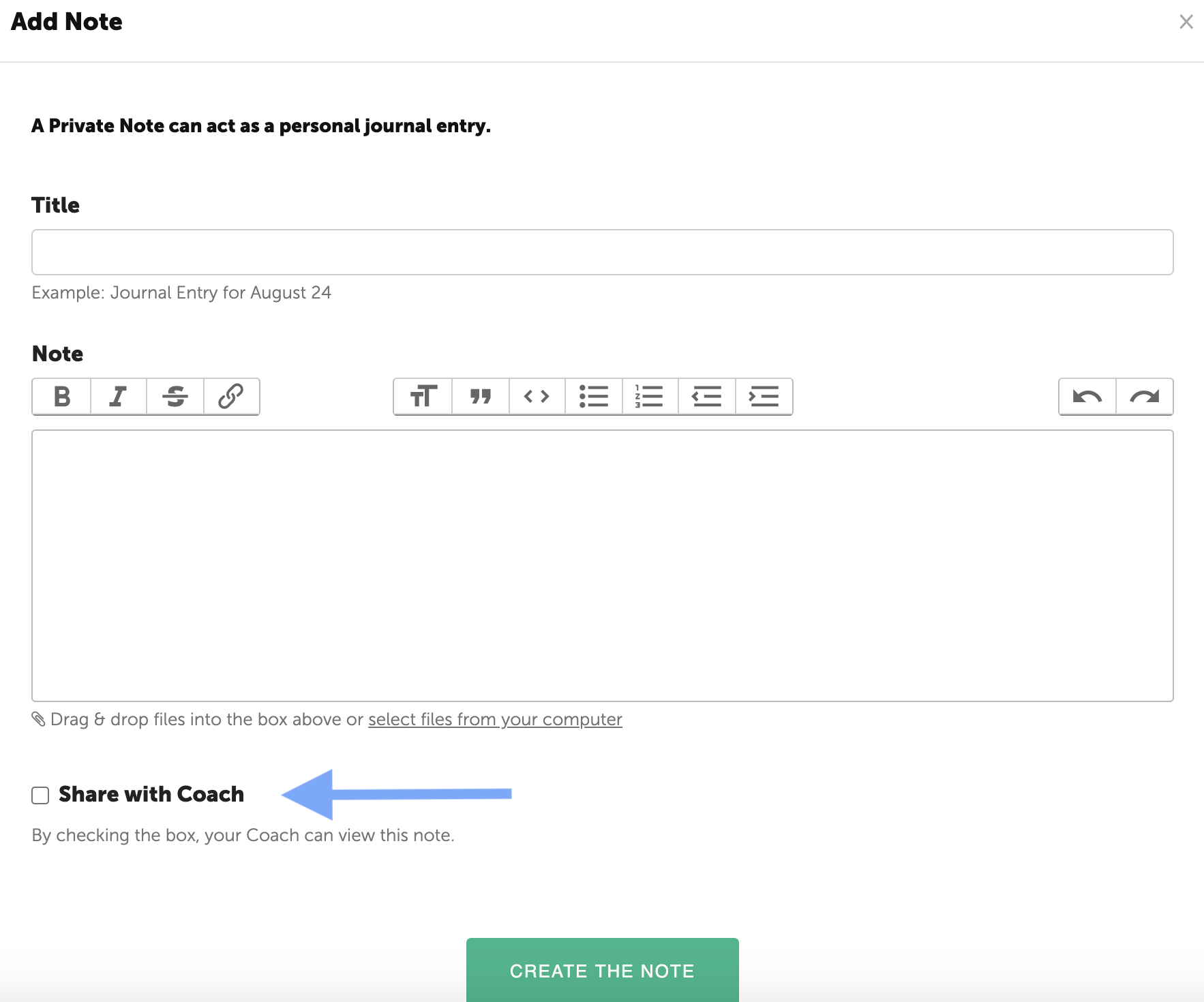
The Participant has the option to share a Journal entry with his/her coach. To make a Journal entry visible to the coach, click on the check box under the text box.
The entire list of Journal entries is displayed, but the Coach can only see the content for the shared entries. Journal entries that have not been share will have a padlock icon by the Journal title.
Note: Participant Journal entries that have been shared with the Coach display an icon under the date.
To view a Journal entry, click on the title.