

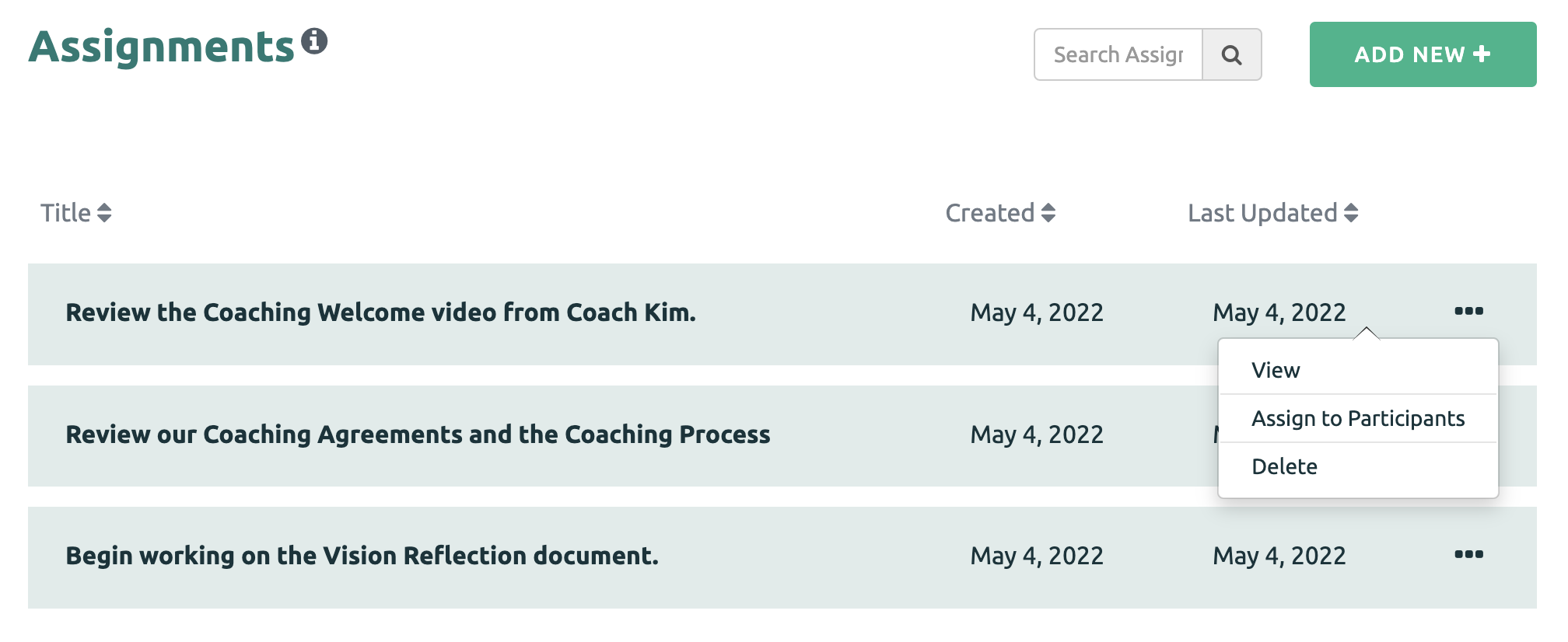
Once Assignments have been created, they are ready to be shared with Participants. To share an Assignment, click the three dots next to the Assignment, and then select the "Assign to Participants" option.
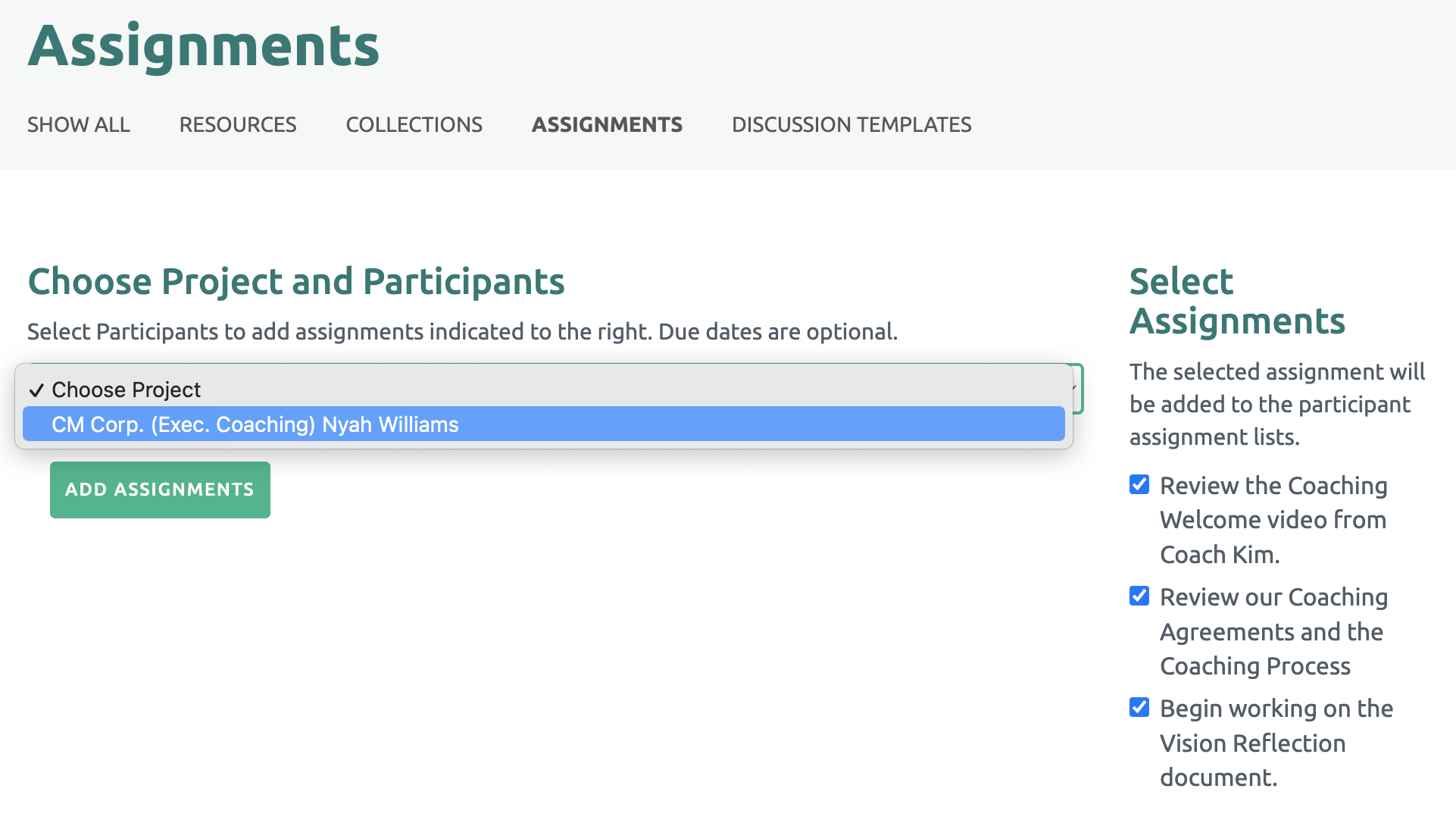
Next, Check the box next to the Assignment(s) listed on the right side and select the Project from the drop down menu. Then click the "Add Assignments" green button.
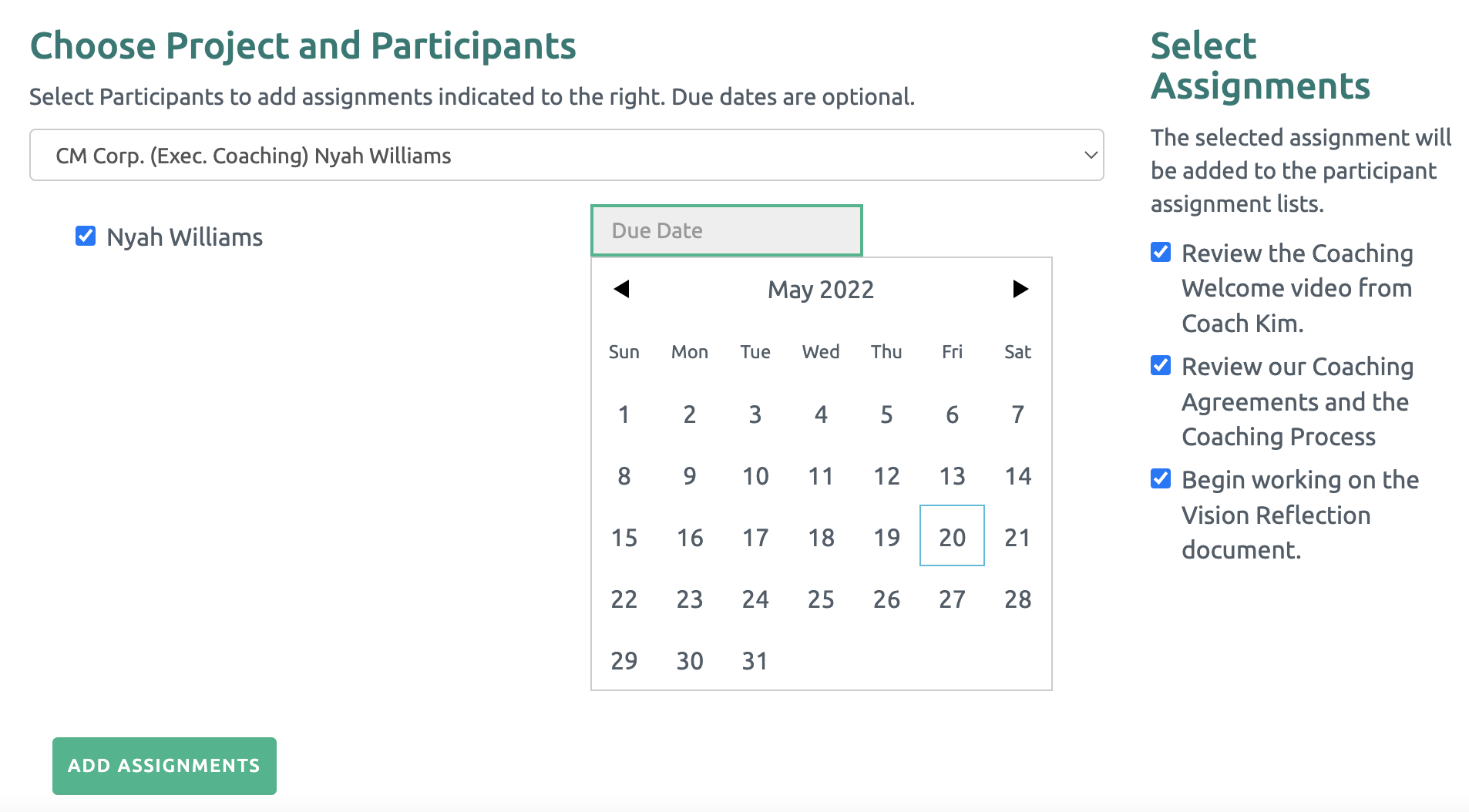
Finally, check the box by the Participant's name. You may select a due date (This is not required at this time. A due date can be added later.) Then click the "Add Assignments" green button.
An email is sent to the Participant(s) informing them there are Assignments posted in their portal.
Viewing the Shared Assignments
The Coach can view the Assignments that have been shared by clicking the Assignments link under the Participant's name. The number of shared Assignments is also displayed.
All of the shared Assignments are listed.
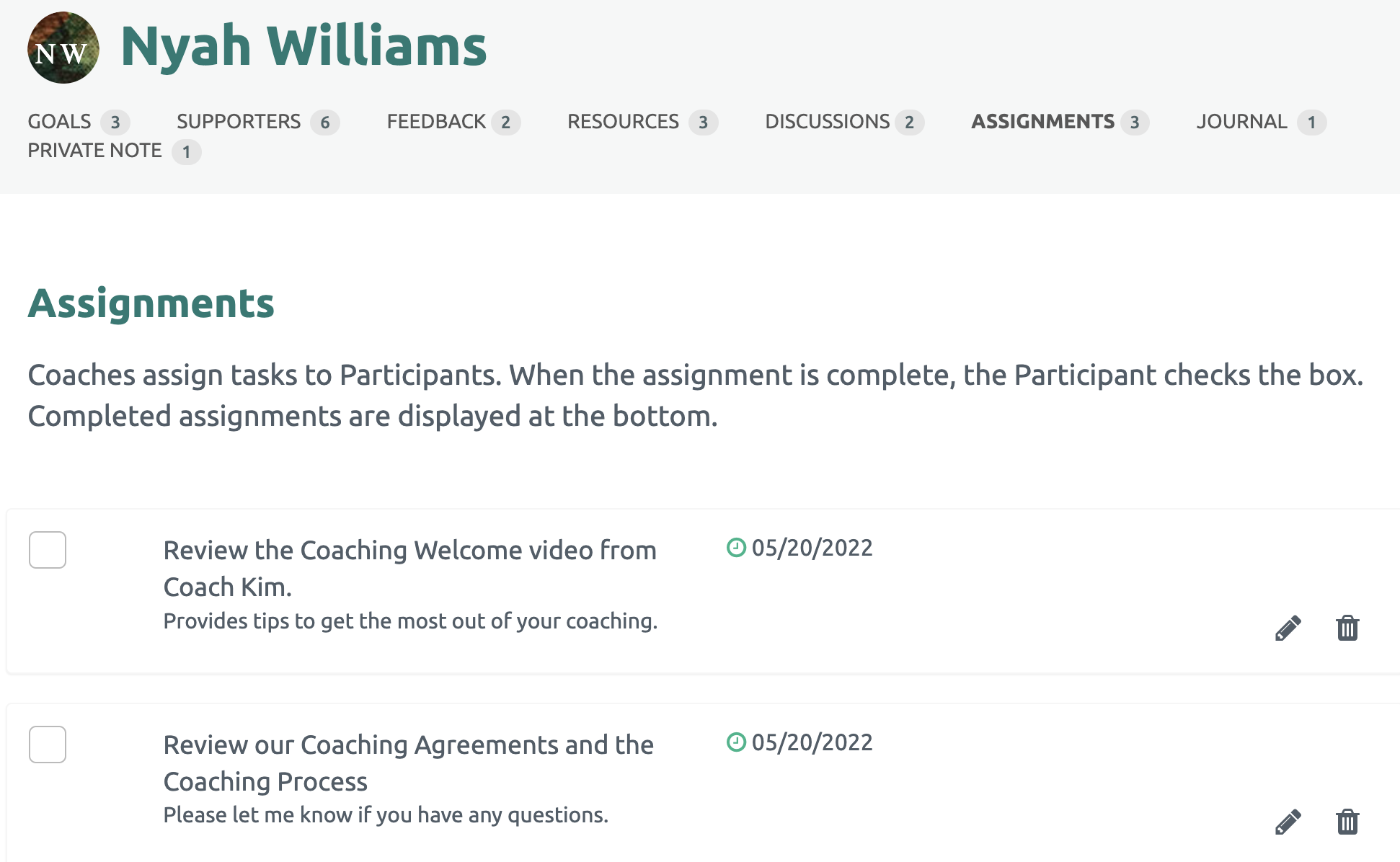
Click here to Update a Shared Assignment.
Click here to Complete an Assignment.